PTO tracking with the clarity of a spreadsheet
Start free trial — 14 days, no card See pricing
14-day free trial · No credit card · Accrual math verified by 150+ automated tests · Your data exports to Excel anytime
Everything a small team needs to track leave — and nothing else
LeaveSheet does one job: paid time off. No HR suite, no per-module pricing, no features you will never open. Here is the complete list — if it isn't on it, it isn't in the product.
Certified accrual engine
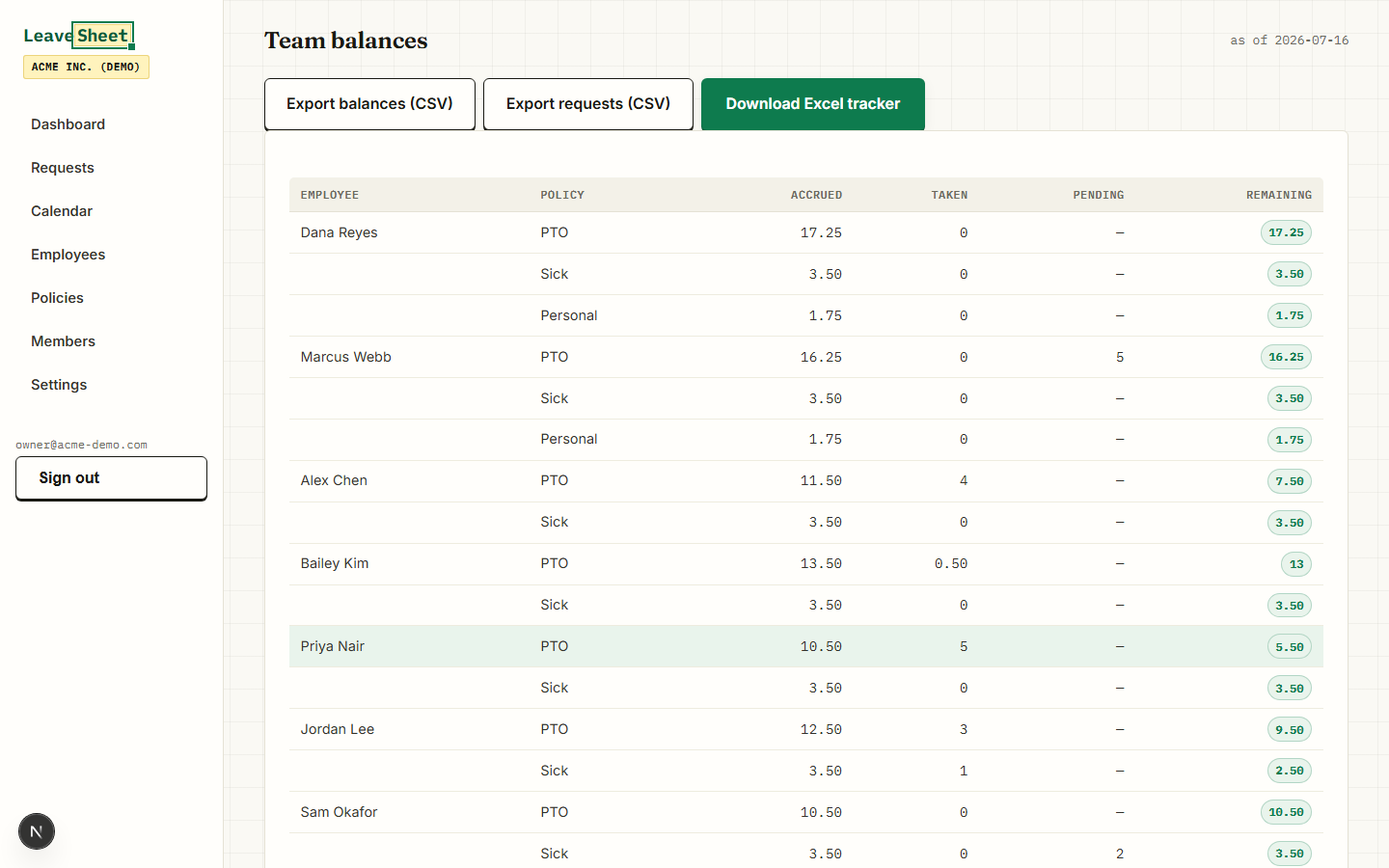
Monthly or annual accrual with caps, carryover (including negative balances) and two seniority tiers. Balances are recalculated on the fly for any as-of date — the same math as our test-certified Excel tracker, verified by 150+ automated tests.
Requests with half-days
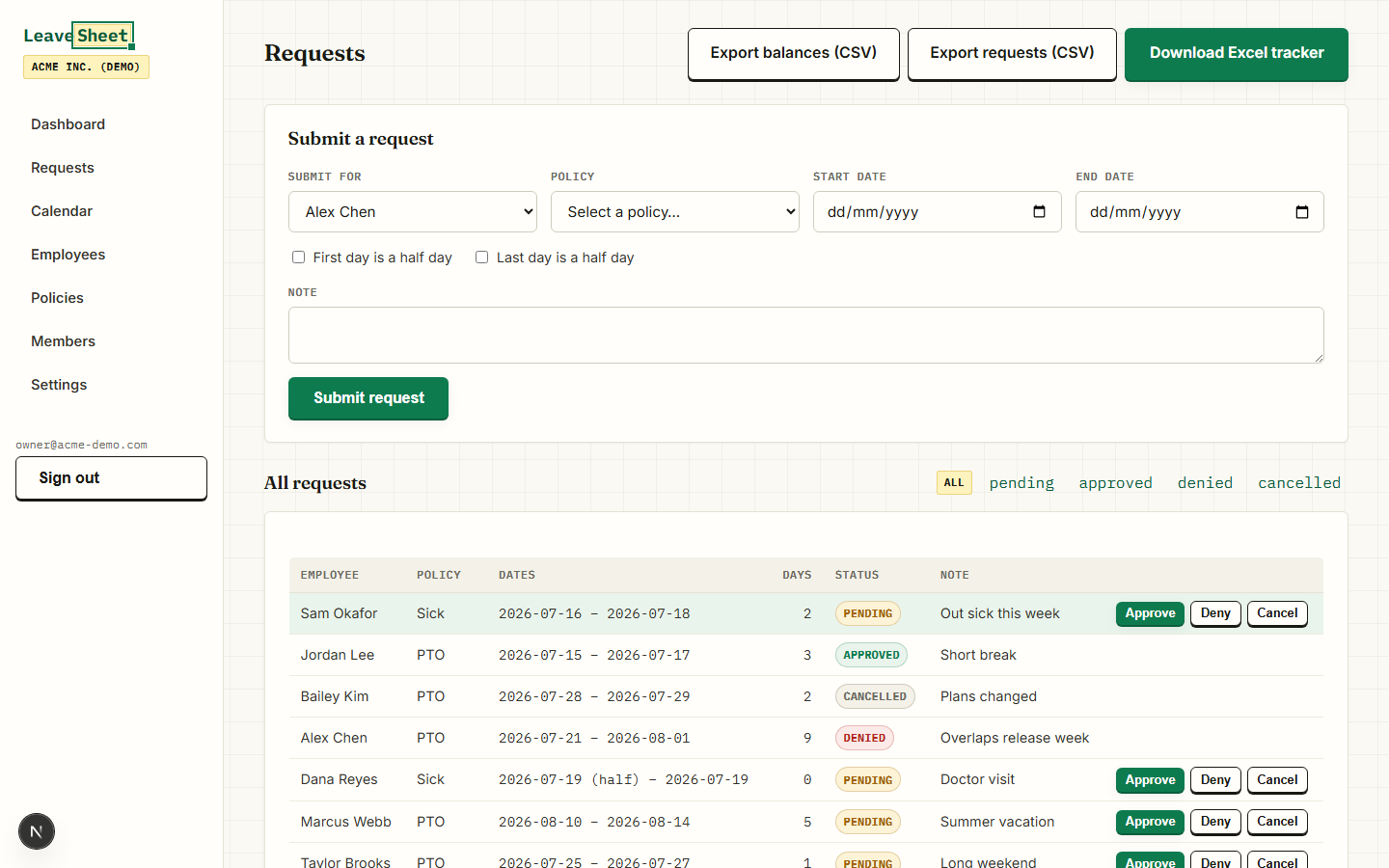
Employees request time off with optional half-day start or end. Business days are counted Monday–Friday minus your company holidays, so a Friday-to-Monday request costs 2 days, not 4.
Approvals that match your org
Managers approve their direct reports, admins can act on anything. Pending, approved and denied requests are tracked separately — only approved time counts against balances.
Team calendar
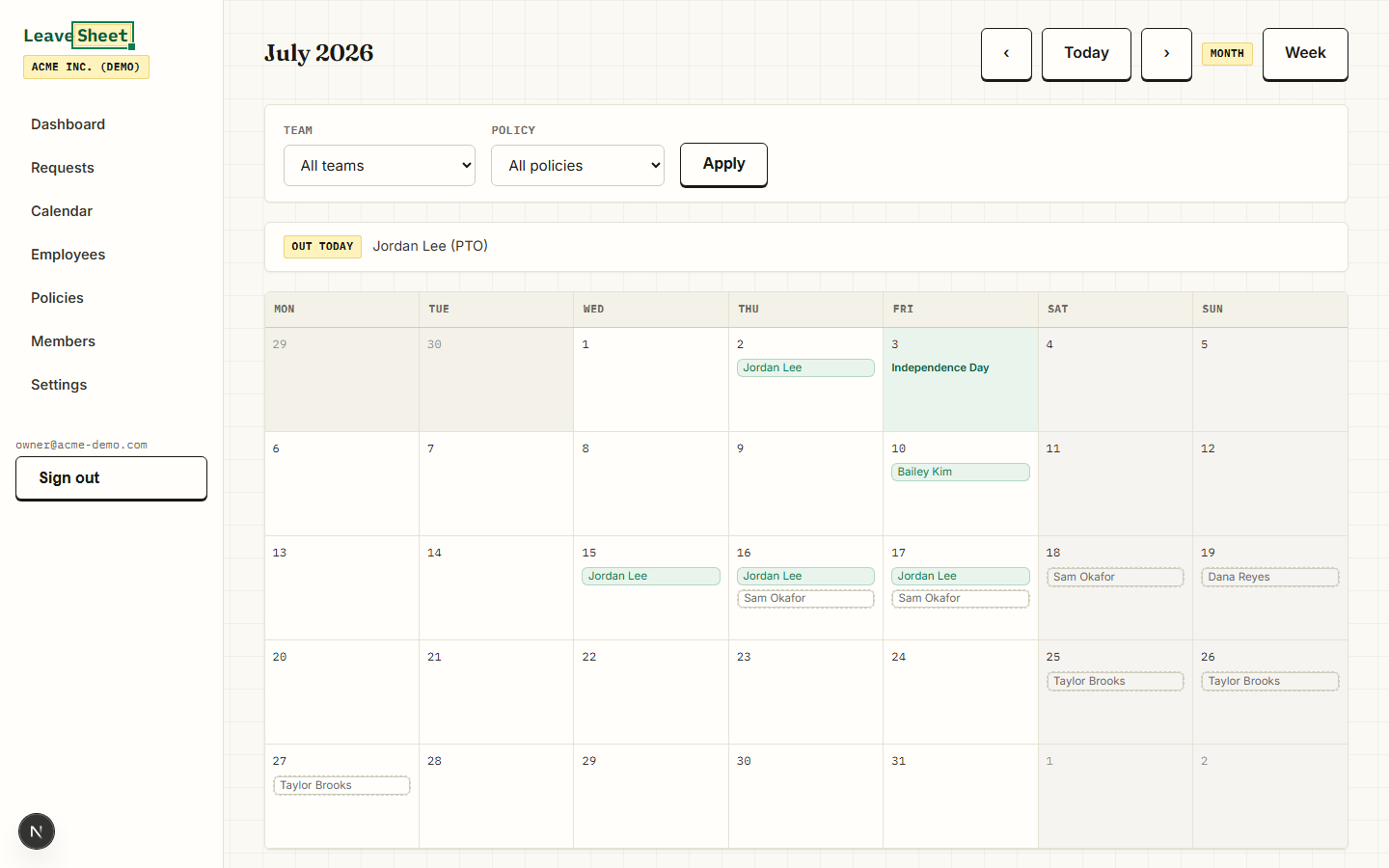
Month and week views with filters by team and leave policy. Company holidays show up in the calendar, and overlapping teammate absences are flagged when a request is submitted or approved.
US federal holidays built in
Seed the current year's US federal holidays in one click — including observed dates when a holiday lands on a weekend — then add or remove company-specific dates.
Excel exports that don't look like dumps
Export balances and requests to CSV, or download a fully styled Excel PTO tracker built by the same engine that powers our templates. Your data stays portable — no lock-in.
CSV employee import
Import your whole roster (name, email, hire date, manager) from a CSV in minutes. Employees can exist before they ever log in; accounts link up when they accept their invite.
Email notifications
Approvers are notified when a request is submitted; employees are notified when it's approved or denied. Invitations and sign-in links arrive by email too — no passwords to manage.
See it for real
These are actual product screenshots, not mockups — taken from the demo organization every trial account can explore.
Pricing that stays boring
$1.50 / employee / month
Billed monthly. $9/month minimum (covers up to 6 employees). Every feature included — there is only one plan.
$15 / employee / year
The same single plan, billed yearly. Works out to $1.25 per employee per month.
14 days free, no card
Full product, pre-filled demo organization to explore, cancel by simply walking away. Only active (non-archived) employee records count toward your bill.
Example: a 10-person team pays $15/month, or $150/year on the annual plan.
What LeaveSheet doesn't do (yet)
No Slack or Teams integration, no SSO, no mobile app, no hourly accrual, no custom workweeks, and holidays are US-focused. If those are must-haves, see our honest guide to leave management software — we compare ourselves to the alternatives, including where they beat us.
The same accrual math, as an Excel file
LeaveSheet grew out of our test-certified Excel PTO tracker. If your team is small enough for a single file, start there — it's $19 once, and there's a free version.
See the Excel PTO trackerCompare before you commit
LeaveSheet vs Vacation Tracker
ComparisonLeaveSheet vs Timetastic
ComparisonLeaveSheet vs absence.io
Frequently asked questions
How does the 14-day free trial work?
Sign in with your email (magic link, no password), create your organization and use every feature for 14 days. No credit card is required to start, and you can explore a pre-filled demo organization before importing your own data.
How much does LeaveSheet cost?
$1.50 per active employee per month, or $15 per employee per year (about 17% off). The minimum bill is $9/month. An active employee is a non-archived employee record — admin or manager accounts without an employee record are free.
Does LeaveSheet handle PTO accrual automatically?
Yes. Each policy defines an accrual rate (monthly or annual), an annual cap, a carryover maximum and up to two seniority tiers. Balances are computed on demand for any as-of date, prorated from each employee's hire date.
Can I track sick leave and personal days separately from PTO?
Yes. LeaveSheet ships with PTO, Sick and Personal policy defaults (the same certified defaults as our Excel template) and you can add custom policy types with their own accrual rules.
Does it integrate with Slack or support SSO?
Not in the current version. LeaveSheet uses email magic links for sign-in and email notifications for approvals. There is no Slack/Teams integration, SSO or mobile app today — if you need those, a tool like Vacation Tracker may fit better (see our honest comparison).
Does LeaveSheet track time off in hours?
No — LeaveSheet tracks leave in days, with half-day precision at the start or end of a request. If your team needs hourly PTO accrual, this isn't the right tool yet.
Can I keep using a spreadsheet instead?
Of course. We sell a $19 Excel PTO tracker with the same tested accrual math, and a free version too. LeaveSheet is what you graduate to when several managers, approvals and a shared calendar make a single file impractical.
Try LeaveSheet on your real roster
Import your employees from CSV, seed this year's US holidays and see everyone's balance in one sitting. 14 days, every feature, no credit card.